Chromebook Insurance
Dear Families,
We’re pleased to announce that Chromebook Insurance for the 2025–2026 school year is now available for purchase. The insurance costs $40 per student and can be conveniently purchased through MySchoolBucks. Please note that a MySchoolBucks account is required to complete the checkout process.
We’re pleased to announce that Chromebook Insurance for the 2025–2026 school year is now available for purchase. The insurance costs $40 per student and can be conveniently purchased through MySchoolBucks. Please note that a MySchoolBucks account is required to complete the checkout process.
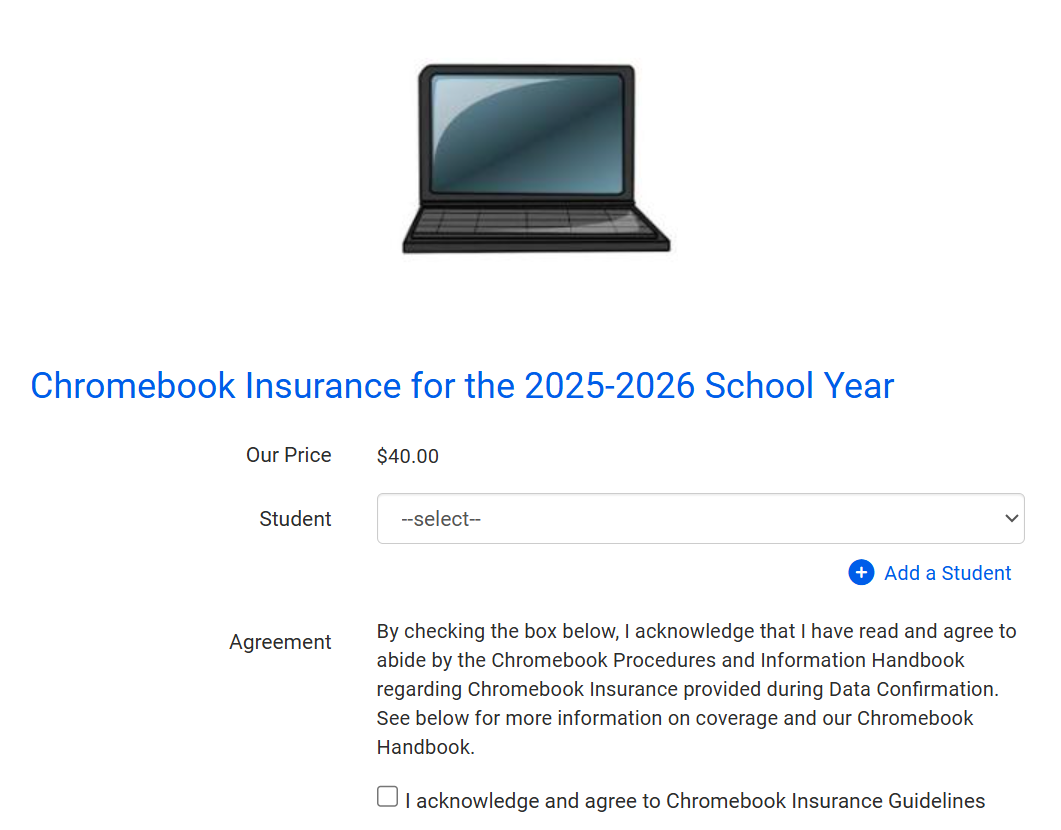
Who Can Purchase Insurance:
- Grades 1–8: Insurance is optional
- TK & Kindergarten: Insurance is not needed
How to Get Started with MySchoolBucks
To purchase Chromebook insurance, you'll first need to set up a MySchoolBucks account:- Create an Account
Visit MySchoolBucks.com or download the free MSB Parent App from the App Store or Google Play.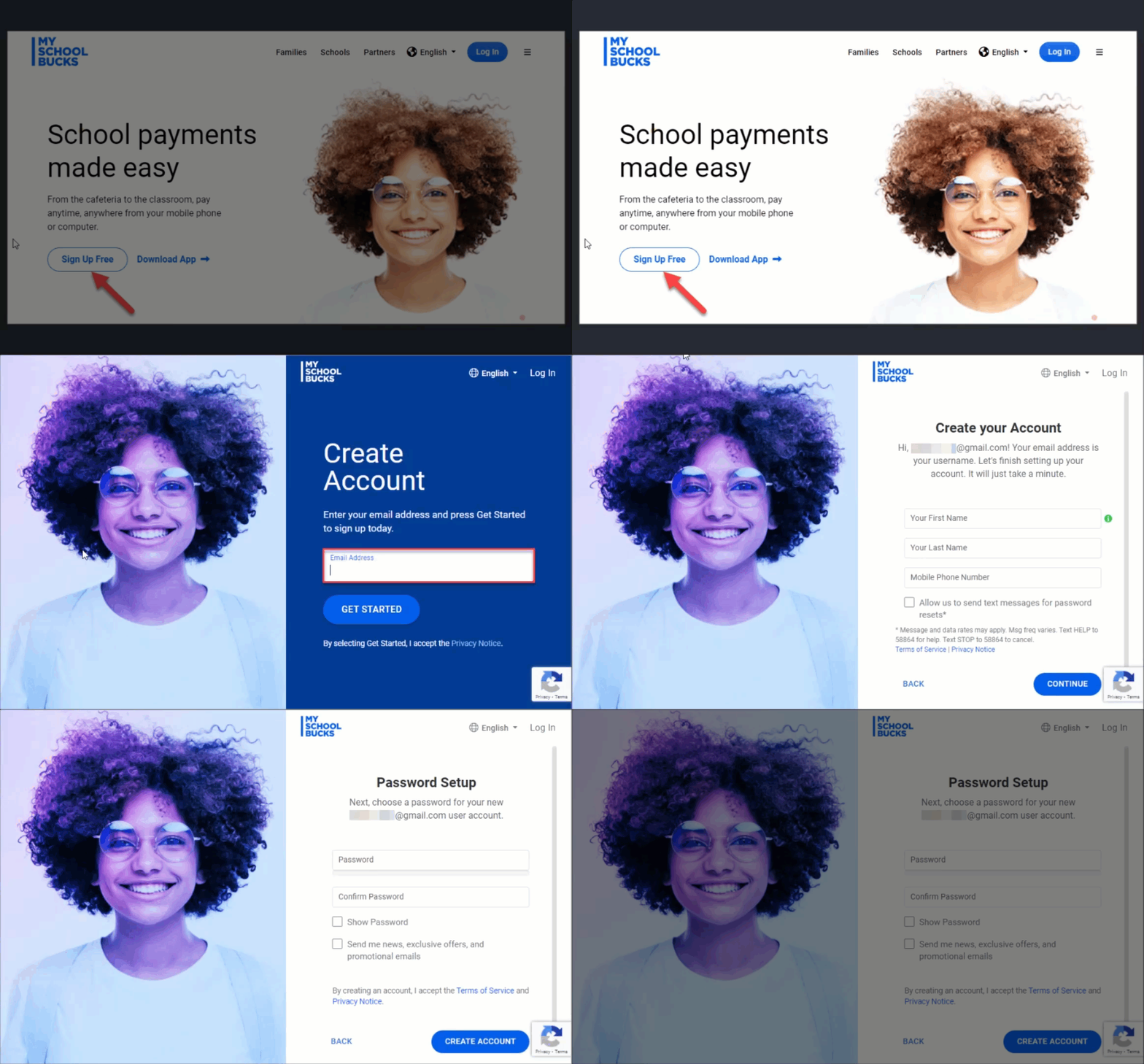
- Add Your Student
After creating your account, add your student using their Student ID (found in the Aeries Parent Portal), full name, and school. - Set Up Payment Method
Link a credit/debit card or a checking account for electronic checks to complete your purchase.
Insurance Details
For full coverage information, please review our Chromebook Handbook:Chromebook Handbook
This optional coverage helps protect your student’s Chromebook from accidental damage, theft, or other unexpected issues. We encourage families to consider this protection for peace of mind throughout the school year.
Sincerely,
Information Technology Department
Fountain Valley School District